
Visual blocks or plain-text scripts — pick your style
Chain device input + control flow + AI steps. Vault-aware. Sub-macros for code reuse. Run history with click-to-rerun diagnostics.
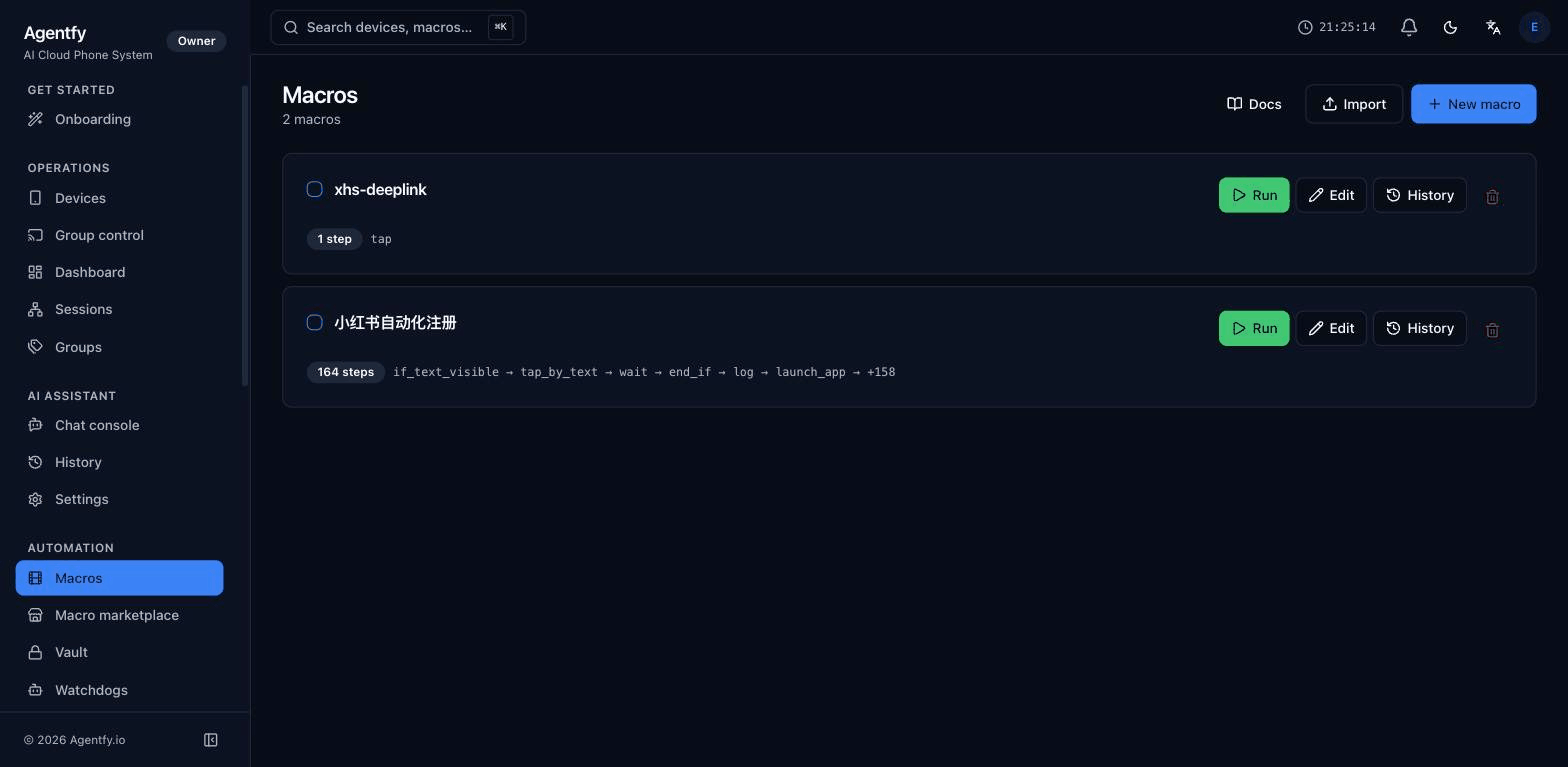
Drag on the left, the script writes itself on the right
- still scriptable
- Zero code
- syntax check
- Realtime
- run history
- 3 days
-
Drag to compose, plain-text to refine
Drag a step from the library onto the canvas; the right pane mirrors the .agfm text in real time. Want to skip the canvas? Just write the text — both compile to the same engine.
-
WYSIWYG with live syntax validation
Wrong field type, undefined reference, missing unit on a timeout — the editor flags the offending line before you ever hit run.
-
Jump back to any step from history
Each run's screenshots, OCR captures, and failure reasons live in history. Click 'Rerun from this step' to retry just the failing step instead of the whole script.
A real .agfm example
A fragment from a Xiaohongshu login flow — two HTTP calls, a vault lookup, a CAPTCHA escape hatch. The whole thing fits on a postcard.
if visible "Not Now" {
  tap "Not Now"
  wait 1s
}

log "Launching Xiaohongshu"
launch_app "com.xingin.discover"
wait 15s

http url="${vault.SMS_Domain_1}/getNumber" method="GET" -> sms
extract sms.body jsonpath="$.phoneNumber" -> phone

tap "Enter phone number"
text "${phone}"
tap "Log in" exact

if visible "Security Verification" timeout=5s {
  try {
    ai_solve_captcha -> captcha timeout=100s
    tap "Log in" exact
  } catch {
    terminate_app "com.xingin.discover"
    halt
  }
}A full step catalog
9 categories, 80+ steps — from tap and http through ai_solve_captcha, all first-class.
Device input
tap tap_pixel tap_by_text swipe long_press text type_secret press_home press_lock press_volume Control flow
if if_visible else try catch loop poll_until random_choice halt return AI steps
ai_solve_captcha ai_takeover ai_extract ai_classify describe_screen find_element_on_screen Network + extract
http extract jsonpath extract regex set log App control
launch_app terminate_app get_foreground_app open_url list_apps clear_app_data Wait + assert
wait wait_for_text wait_for_element assert assert_text checkpoint Vault + variables
${vault.X} set extract -> name run_macro sequence Screen recognition
screenshot find_text_on_screen ocr read_clipboard write_clipboard Files + clipboard
upload_file read_file list_files paste_to_phone copy_from_phone 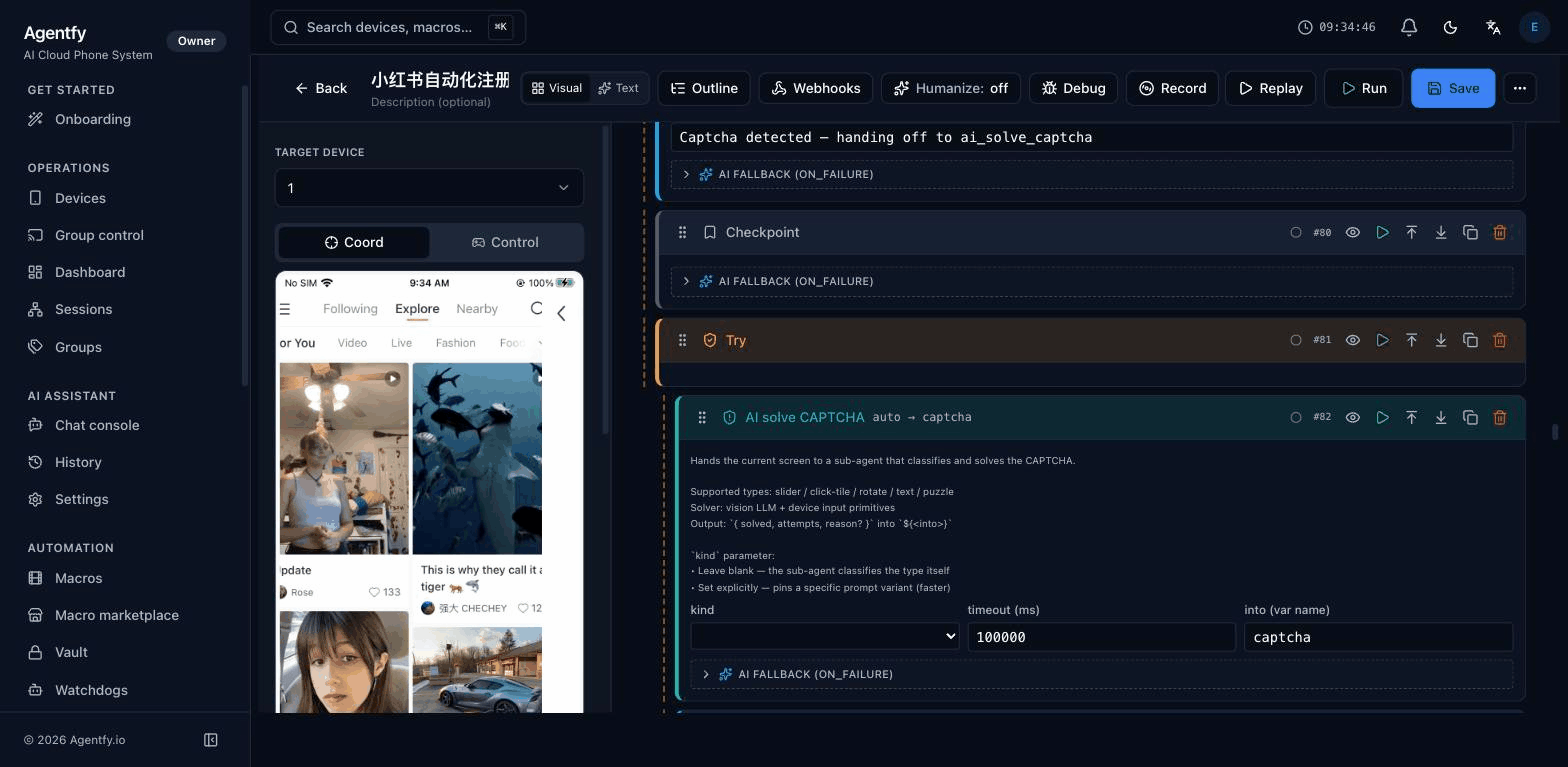
AI generation + component docs, always docked
-
AI generates the steps for you
Say 'tap the follow button then wait 1s', the right-rail AI emits a paste-ready .agfm fragment with the correct step type and parameters already picked.
-
Component docs always one click away
Select any step and the right rail expands its field reference, optional parameters, failure semantics, and examples — without leaving the editor.
-
Outline + run preview
The right rail collapses try/loop blocks for fast navigation. Run preview shows the variables and upstream outputs your current cursor position can reach.
What one macro actually does in production
Account lifecycle, retention loops, UI smoke tests — same DSL, three different cadences.
End-to-end account signup
Launch the app, rent a phone number, solve the CAPTCHA, log in — one macro covers the entire new-account lifecycle.
launch_app → http → ai_solve_captcha → tap Scheduled engagement / retention
Fires every morning at 8 am — each device opens the target app and runs a follow / like / scroll loop on a deterministic rhythm.
loop → tap_by_text → swipe → wait iOS UI smoke test
Before each release, run the critical path on real devices: login, compose, publish, return home. Each step screenshot is archived for one-click replay.
launch_app → tap → assert_text → screenshot Programmable automation without programmer overhead
Visual editor + plain-text DSL
Drag blocks, or write .agfm text — both compile to the same engine. Live syntax errors as you type.
Control flow built in
if, try / catch, poll_until, loop, random_choice — every wait is conditional or bounded.
Vault interpolation
Reference secrets with ${vault.MY_KEY}; plaintext never enters the script body or git history.
Sub-macros + import
Build a library of common flows (login, captcha, onboarding) and compose them. Diamond imports tolerated.
AI-powered steps
ai_solve_captcha for captchas, ai_takeover for unstructured detours — drop AI into exactly the steps that need vision.
Run history + diagnostics
Every run lands in a searchable history (3-day retention). One-click rerun on any failed step.
Combine with…
Stop writing throwaway Appium scripts
Macros are the right abstraction for phone-farm automation — designed for the daily-use case, not the QA-lab case.
Start free trial