
Plug iPhones into Claude Desktop, Cursor, or Cline
The Model Context Protocol bridge exposes Agentfy's full tool catalogue to any MCP client. Open source. 60-second setup. Tenant-scoped.
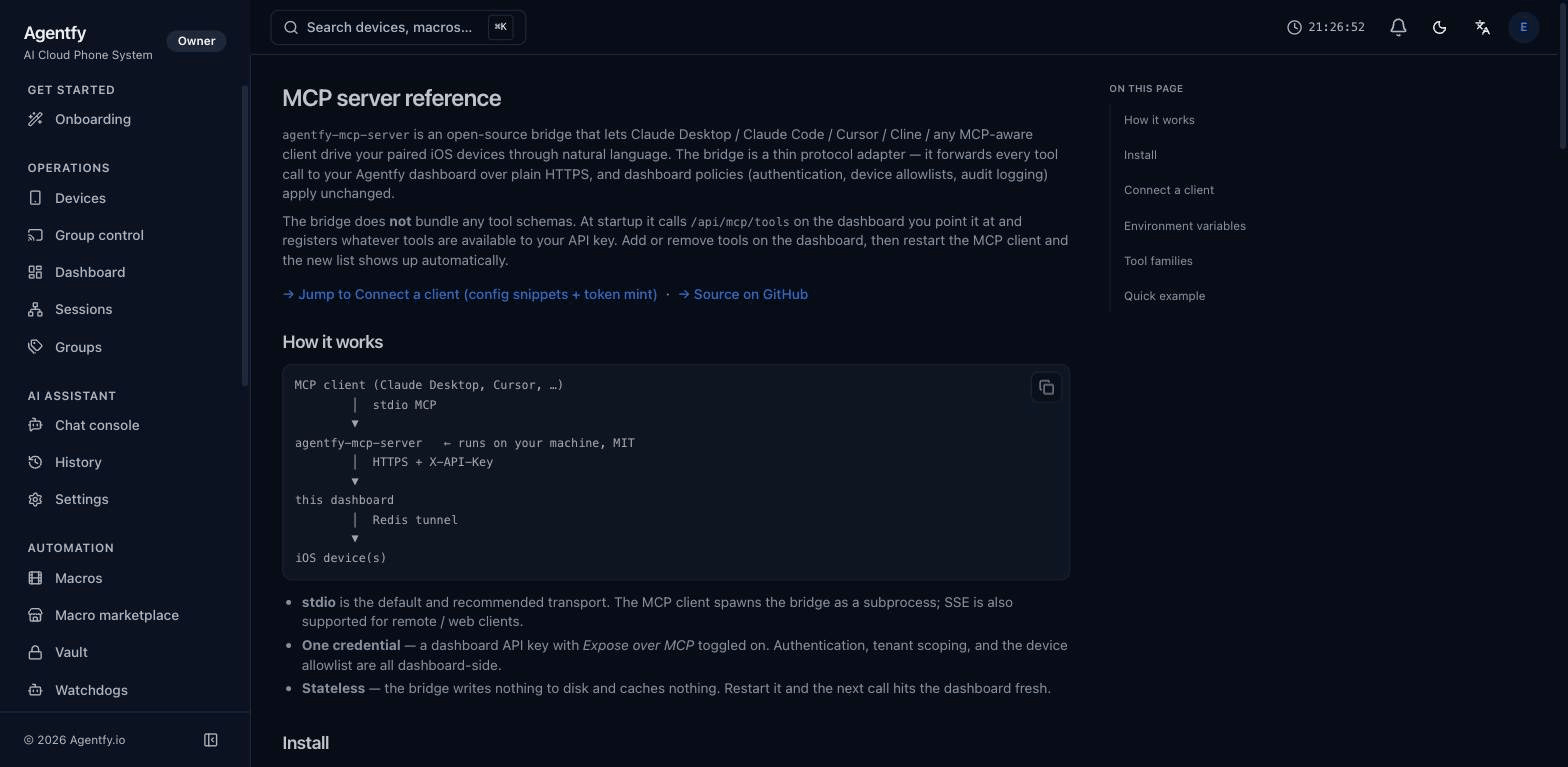
How the bridge connects your editor to a real iPhone
MCP client speaks stdio, the bridge translates to authenticated HTTPS, the dashboard fans out over a Redis tunnel — and your iPhone daemon answers in milliseconds.
   MCP client  (Claude Desktop, Cursor, Cline, Claude Code)
         │
         │   stdio  /  SSE
         ▼
   agentfy-mcp-server  ← runs on your machine, MIT-licensed
         │
         │   HTTPS  +  X-API-Key
         ▼
   app.agentfy.io      ← multi-tenant dashboard
         │
         │   Redis pub/sub tunnel
         ▼
   iPhone daemon       ← TrollStore / jailbroken iOS 14+
Bring iPhone control into your existing AI workflow
Standards-compliant MCP bridge
Agentfy ships an open-source MCP server (agentfy-mcp-server). Any MCP-speaking client — Claude Desktop, Cursor, Cline, Claude Code, raw CLI — connects out of the box.
Per-token scoping
Each MCP credential is a scoped Agentfy API token: role (viewer / operator / admin), device allowlist, expiry. Revoke any time — instant effect.
Auto-discovered tool catalogue
The bridge fetches its tool list from the dashboard at startup. Add a new tool in Agentfy core, restart the MCP client, the tool appears. No schemas to maintain by hand.
Multi-client safe
Several MCP clients can share the same token + devices simultaneously. Per-call serialization on the tunnel; no fights over input.
Tenant-scoped by design
The token doesn't escape your tenant. Other tenants' devices are invisible. Even cloud admins can't peek without an audit trail.
One-click setup
Generate a config snippet for your MCP client of choice from the dashboard's MCP Connect page. Copy → paste → restart. Done.
Claude Desktop snippet
Paste this into claude_desktop_config.json, replace the token, restart Claude. Other clients (Cursor / Cline / CLI) get their own snippet on the MCP Connect page.
{
  "mcpServers": {
    "agentfy": {
      "command": "npx",
      "args": ["-y", "@agentfy/mcp-server"],
      "env": {
        "AGENTFY_API_KEY": "<PASTE_FROM_TOKENS>",
        "AGENTFY_DASHBOARD_URL": "https://app.agentfy.io"
      }
    }
  }
}
Pair with…
MCP access included on Pro and Studio
Mint a token, drop the snippet, control your fleet from your favourite AI client.
Start free trial